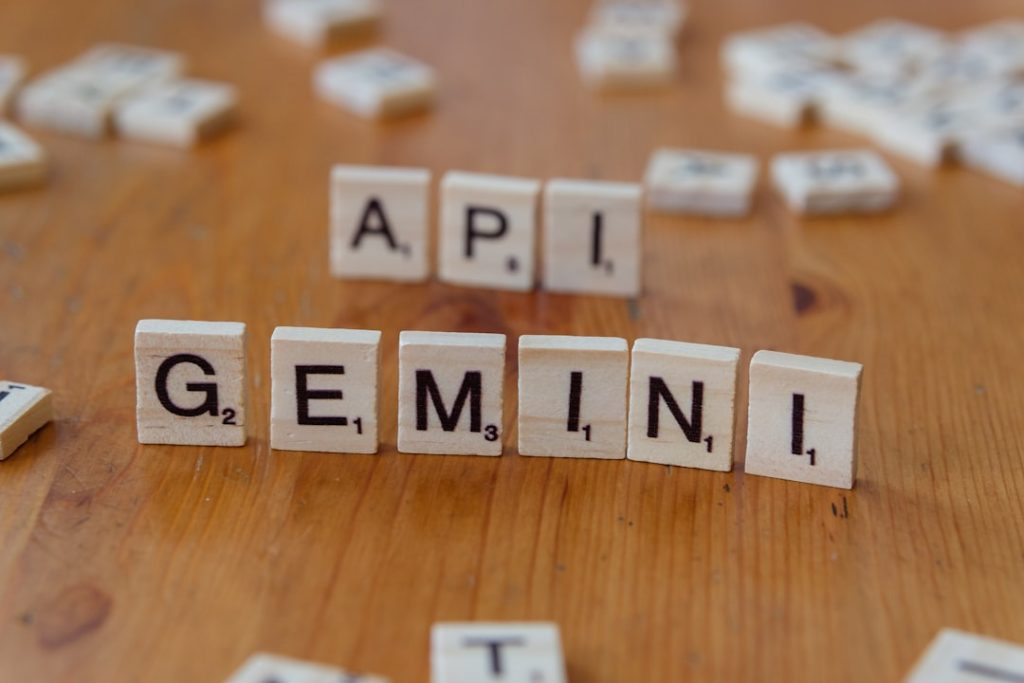
Learning how to integrate Gemini API with Python has become essential for developers looking to harness the power of Google’s advanced AI models in their applications. Whether you’re building chatbots, content generation tools, or intelligent data analysis systems, understanding the integration process opens doors to production-grade AI capabilities. This comprehensive guide will walk you through everything you need to know to get started with Gemini API integration in Python, from basic setup to advanced production implementations.
Why Gemini API Matters for Python Developers
The landscape of artificial intelligence development has shifted dramatically in recent years, making AI integration more accessible than ever before. Python developers now have straightforward tools to incorporate cutting-edge language models into their projects without requiring extensive machine learning expertise.
The Shift Toward Accessible AI Integration
Historically, accessing advanced AI models required significant infrastructure investment and deep machine learning knowledge. Today, developers can integrate powerful AI capabilities through simple API calls, democratizing access to state-of-the-art technology. The Google Gemini API represents this shift perfectly, providing a user-friendly interface that Python developers can leverage immediately. Portainer Docker Management Tutorial
This accessibility has enabled smaller teams and startups to compete with larger organizations by implementing AI-driven features quickly. The barrier to entry has dropped significantly, allowing developers to focus on building products rather than training models. Proxmox Vs Docker For Home Server
Gemini’s Advantages Over Competing Models
Google’s Gemini models offer several compelling advantages that make them particularly attractive for Python integration. The API provides competitive pricing, broad model availability, and excellent documentation that caters specifically to developers.
- Multimodal capabilities allowing image, text, and document processing in a single API
- Multiple model tiers (Flash, Pro) optimized for different use cases and budgets
- Robust safety features and content filtering built into the API
- Generous free tier allowing developers to experiment without immediate costs
- Fast response times suitable for real-time applications
- Excellent integration with Google Cloud Platform and other services
Real-World Applications in Production Systems
Organizations worldwide are successfully deploying Gemini API-powered solutions across diverse industries. Companies use Gemini for customer service automation, content creation, code analysis, and intelligent document processing.
From e-commerce platforms automating customer inquiries to healthcare providers analyzing medical documents, Gemini API integration delivers measurable business value. Python’s popularity in these domains makes the Gemini Python client the natural choice for implementation.
Prerequisites and Environment Setup for Gemini Integration
Before diving into code, you’ll need to establish a proper development environment and secure the necessary credentials. Taking time to set up correctly prevents frustrating debugging sessions later.

Python Version Requirements and Compatibility
The Google Generative AI library for Python requires Python 3.9 or higher for optimal compatibility and security. You can verify your Python version by running python --version in your terminal.
While earlier versions might work in some cases, using Python 3.9+ ensures you have access to all features and security patches. If you’re running an older version, consider updating through your preferred package manager or using tools like pyenv for version management.
Installing the Google Generative AI Library
Installation is straightforward using pip, Python’s package manager. Open your terminal and run the following command:
pip install google-generativeai
This single command downloads and installs the official Google Generative AI library along with its dependencies. The installation typically completes within seconds on a standard internet connection.
You can verify successful installation by importing the library in Python:
import google.generativeai as genai
If this imports without errors, you’re ready to proceed with authentication setup.
Obtaining and Securing Your API Key
To use the Gemini API, you need an API key from Google. Visit Google AI Studio and click “Create API Key” to generate your credentials.
Your API key is sensitive information that grants access to your account’s resources. Never commit API keys to version control systems or share them publicly.
Configuring Your Development Environment Safely
Store your API key in environment variables rather than hardcoding it in your source files. Create a .env file in your project root with the following content:
GEMINI_API_KEY=your_actual_api_key_here
Add this file to your .gitignore to prevent accidental commits. Then install python-dotenv to load environment variables:
pip install python-dotenv
In your Python code, load the environment variable like this:
import os
from dotenv import load_dotenv
load_dotenv()
api_key = os.getenv('GEMINI_API_KEY')
Getting Your First API Call Working
Now that you have your environment configured, let’s create a working example that demonstrates basic Gemini API functionality. You’ll have a functional integration within minutes.

Initializing the Gemini Client in Python
Start by importing the library and configuring your API key:
import google.generativeai as genai
import os
from dotenv import load_dotenv
load_dotenv()
genai.configure(api_key=os.getenv('GEMINI_API_KEY'))
This initialization step connects your Python environment to Google’s Gemini API infrastructure. After this point, you can access any available Gemini model through the client.
Sending Your First Text Prompt
With the client initialized, sending your first prompt requires just a few lines of code:
model = genai.GenerativeModel('gemini-2.0-flash')
response = model.generate_content("What are the benefits of learning Python?")
print(response.text)
This example creates a model instance, sends a prompt, and prints the response. The gemini-2.0-flash model is optimized for fast responses and lower costs, making it perfect for most applications.
Handling Responses and Parsing Results
Gemini API responses contain structured data that you can parse programmatically. The response object includes the generated text along with metadata about the generation process.
To safely handle responses, always check if content was successfully generated:
if response.candidates:
for candidate in response.candidates:
if candidate.content.parts:
for part in candidate.content.parts:
print(part.text)
This approach handles cases where the API might filter content or encounter errors during generation.
Debugging Common Connection Errors
Connection issues typically stem from three sources: invalid API keys, network problems, or rate limiting. First, verify your API key is correctly loaded by printing its first few characters (without exposing the full key).
If you encounter authentication errors, double-check that your API key hasn’t expired and that it has Generative AI API access enabled. Test your internet connection by pinging Google’s servers or attempting other API calls.
Rate limiting errors indicate you’ve exceeded your quota—simply wait before retrying or upgrade your API plan for higher limits.
Working with Different Gemini Models and Their Capabilities
Google offers multiple Gemini models optimized for different use cases, budgets, and performance requirements. Choosing the right model significantly impacts both your application’s performance and operational costs.
Gemini 2.0 Flash vs. Pro: Which Model to Use
The Gemini 2.0 Flash model represents the latest advancement in speed and efficiency, delivering responses in milliseconds while maintaining high quality. It’s designed for high-volume applications where latency matters and costs need optimization.
The Gemini Pro model offers slightly higher quality for complex reasoning tasks but with slightly higher latency and cost. Choose Gemini Pro when handling intricate analysis, detailed content generation, or specialized domain knowledge requirements.
For most new projects, Gemini 2.0 Flash provides the best balance of performance, cost, and quality. Consider Pro only when testing reveals insufficient quality from Flash.
Understanding Token Limits and Pricing Implications
All Gemini models have token limits—the maximum number of tokens (roughly equivalent to words) you can send in a single request. Understanding these limits prevents runtime errors and helps plan your application architecture.
| Model | Input Tokens | Output Tokens | Context Window | Pricing (Input/Output) |
|---|---|---|---|---|
| Gemini 2.0 Flash | 1M tokens | 8,000 tokens | 1M tokens | $0.075/$0.30 per 1M |
| Gemini 1.5 Pro | 1M tokens | 8,000 tokens | 1M tokens | $1.50/$6.00 per 1M |
| Gemini 1.5 Flash | 1M tokens | 8,000 tokens | 1M tokens | $0.075/$0.30 per 1M |
Token pricing directly impacts your operational costs at scale. The free tier provides daily limits, but production applications typically require a paid API plan.
Model-Specific Features and Performance Trade-offs
Different models excel at different tasks. Flash models prioritize speed for straightforward queries, while Pro models offer superior reasoning for complex problems. Some models support vision capabilities for image analysis, while others focus purely on text.
- Flash models: Ideal for chatbots, quick summarization, and high-volume applications
- Pro models: Better for detailed analysis, creative writing, and complex reasoning
- Vision-capable models: Essential for applications processing images or documents
- Multimodal models: Handle mixed input types in a single request
Selecting the Right Model for Your Use Case
Start by identifying your application’s primary requirements: latency tolerance, budget constraints, and output quality standards. If your users can tolerate 1-2 second response times and quality is paramount, Pro might be worth the extra cost. For real-time applications requiring sub-second responses, Flash is your choice.
Prototype with both models and measure actual performance before committing to production. Many successful applications use multiple models—Flash for simple queries and Pro for complex requests.
Advanced Prompt Engineering for Reliable Gemini Responses
The quality of your Gemini API outputs depends heavily on how you structure your prompts. Effective prompt engineering transforms mediocre responses into production-grade outputs that deliver consistent, reliable results.
Structuring Prompts for Consistency
Well-structured prompts follow a consistent pattern: context, instruction, and expected format. Providing clear context helps Gemini understand your specific situation rather than defaulting to generic responses.
Instead of asking “Summarize this document,” provide context: “As a medical records clerk, summarize this patient discharge note focusing on diagnoses, medications, and follow-up care in bullet points.” This specificity dramatically improves output relevance.
Using System Instructions Effectively
System instructions define the model’s behavior for an entire conversation or session. Use them to establish tone, expertise level, and output preferences that apply across multiple requests:
system_instruction = """You are an expert Python developer with 10 years of experience.
Provide code examples that follow PEP 8 style guidelines. Always include error handling.
Explain your code choices briefly but thoroughly."""
System instructions prevent repetition when asking multiple related questions, as you don’t need to specify expectations each time.
Temperature and Safety Settings Explained
The temperature parameter controls randomness in responses. Lower values (0.0-0.5) produce deterministic, consistent outputs ideal for factual tasks. Higher values (0.7-1.0) introduce creativity, suitable for brainstorming or creative writing.
Safety settings allow you to control which types of content Gemini will filter. Production applications typically enable high filtering for safety, though you can adjust settings based on your specific needs.
“The quality of your AI outputs is entirely dependent on the clarity and specificity of your inputs. Ambiguous prompts produce ambiguous results—precision in your requests yields precision in responses.”
Techniques for Getting Production-Grade Outputs
Request specific output formats (JSON, markdown, structured text) to enable easier downstream processing. Ask Gemini to think step-by-step for complex problems, improving reasoning quality. Include examples of desired output when possible, helping the model understand your exact expectations.
- Always specify the exact output format you need
- Break complex tasks into smaller, sequential steps
- Provide 2-3 examples of desired output
- Include constraints and limitations explicitly
- Ask for structured data when integrating with other systems
Building Production-Ready Applications with Gemini API
Moving from prototypes to production requires attention to reliability, security, and scalability. These practical implementations protect your application and users while handling real-world conditions.
Error Handling and Retry Logic
Network issues and temporary API problems require graceful handling. Implement exponential backoff retry logic that gives the API time to recover:
import time
from google.api_core import retry
@retry.Retry()
def call_gemini_with_retry(prompt):
model = genai.GenerativeModel('gemini-2.0-flash')
return model.generate_content(prompt)
The decorator automatically retries failed requests with exponential backoff, improving reliability without adding complexity to your code.
Rate Limiting and Quota Management
Google’s API enforces rate limits to ensure fair usage across all users. Track your usage and implement request queuing to stay within limits. For applications expecting high volume, consider requesting quota increases or upgrading your API plan.
Monitor your usage dashboard daily and set alerts for unexpected spikes that might indicate issues or abuse.
Implementing Caching to Reduce API Calls
Many applications receive identical or very similar requests repeatedly. Caching responses dramatically reduces API costs and improves performance. Python’s functools library provides simple caching:
from functools import lru_cache
@lru_cache(maxsize=128)
def get_gemini_response(prompt):
model = genai.GenerativeModel('gemini-2.0-flash')
response = model.generate_content(prompt)
return response.text
For distributed applications, use Redis or Memcached for shared caching across multiple servers.
Security Best Practices for API Keys in Production
Never store API keys in code repositories, configuration files, or logs. Use your deployment platform’s secrets management system—Google Cloud Secret Manager, AWS Secrets Manager, or Heroku Config Vars all provide secure storage.
Rotate API keys periodically and disable keys that are no longer needed. Monitor access logs for unusual patterns that might indicate compromised credentials.
Integrating Gemini with Popular Python Frameworks
Gemini integrates seamlessly with Python’s most popular web frameworks, enabling rapid development of AI-powered applications.
FastAPI Integration for REST Endpoints
FastAPI’s async capabilities pair perfectly with the Gemini API’s latency characteristics. Create an endpoint that exposes Gemini capabilities as a REST API:
from fastapi import FastAPI
from pydantic import BaseModel
import google.generativeai as genai
app = FastAPI()
genai.configure(api_key=os.getenv('GEMINI_API_KEY'))
class PromptRequest(BaseModel):
text: str
@app.post("/generate")
async def generate(request: PromptRequest):
model = genai.GenerativeModel('gemini-2.0-flash')
response = model.generate_content(request.text)
return {"response": response.text}
This minimal example creates a functional API endpoint. FastAPI automatically validates requests, generates documentation, and handles error responses.
Flask Applications with Gemini Backend
Flask provides a lightweight alternative for simpler applications. Integrate Gemini with Flask routes similarly to FastAPI:
from flask import Flask, request, jsonify
app = Flask(__name__)
@app.route('/api/generate', methods=['POST'])
def generate():
data = request.get_json()
prompt = data.get('prompt')
model = genai.GenerativeModel('gemini-2.0-flash')
response = model.generate_content(prompt)
return jsonify({'response': response.text})
Flask’s simpler approach works well for applications where performance isn’t the primary concern.
Async/Await Patterns with aiohttp
For high-performance applications, use async Python with aiohttp to make concurrent Gemini requests. This pattern is essential when handling multiple simultaneous user requests:
import asyncio
import aiohttp
async def generate_gemini_response(prompt):
model = genai.GenerativeModel('gemini-2.0-flash')
response = await asyncio.to_thread(
model.generate_content, prompt
)
return response.text
This approach prevents blocking I/O from slowing your application when handling multiple concurrent requests.
Building Streamlit Applications Powered by Gemini
Streamlit simplifies building data applications with AI backends. Create interactive Gemini applications without frontend complexity:
import streamlit as st
st.title("Gemini Content Generator")
prompt = st.text_area("Enter your prompt:")
if st.button("Generate"):
model = genai.GenerativeModel('gemini-2.0-flash')
response = model.generate_content(prompt)
st.write(response.text)
Streamlit handles UI rendering, user input, and state management automatically, letting you focus on your Gemini integration logic.
Handling Multimodal Input: Images, Files, and Documents
One of Gemini’s most powerful features is its ability to process multiple input types simultaneously, including text, images, and documents in various formats.
Processing Images with Gemini Vision Capabilities
Gemini can analyze images directly, extracting information, answering questions about visual content, and performing image-based reasoning. Pass images using the PIL library:
from PIL import Image
img = Image.open('photo.jpg')
model = genai.GenerativeModel('gemini-2.0-flash')
response = model.generate_content([
"Describe what you see in this image:",
img
])
print(response.text)
Gemini automatically handles image processing—you don’t need to extract features or preprocess the image.
Working with PDF and Document Uploads
Upload PDF files and other documents for analysis. The API automatically extracts and processes document content:
import google.generativeai as genai
document = genai.upload_file('financial_report.pdf')
model = genai.GenerativeModel('gemini-2.0-flash')
response = model.generate_content([
"Summarize the key findings from this report:",
document
])
The upload_file method handles file transmission and processing automatically.
Converting File Types for API Compatibility
While Gemini supports many formats natively (JPEG, PNG, GIF, PDF, etc.), you may need to convert unusual formats. Use libraries like python-pptx for presentations or python-docx for Word documents:
- Convert PPT presentations to PDF, then upload
- Extract text from DOCX files and send as text input
- Convert TIFF images to PNG for optimal compatibility
- Use OCR for scanned documents to improve text extraction
Performance Considerations for Large Files
Large files increase latency and may approach token limits. Implement file size checks and consider breaking huge documents into smaller chunks for processing. A 100-page PDF might need multiple requests to analyze thoroughly.
Monitor API response times and adjust your chunk sizes accordingly. For files exceeding typical limits, consider preprocessing them to extract the most relevant sections.
Optimizing Costs and Performance at Scale
As your application grows, costs and performance become critical concerns. Strategic optimization prevents budget overruns while maintaining responsive user experiences.
Monitoring API Usage and Identifying Bottlenecks
Google’s dashboard provides detailed usage metrics including request counts, tokens used, and costs incurred. Review this data weekly to identify trends and anomalies. Sudden cost spikes might indicate bugs sending excessive requests or unexpected traffic.
Implement application-level logging to track which prompts consume the most tokens and which features are most heavily used. This data guides optimization efforts toward maximum impact.
Batch Processing Strategies for Cost Efficiency
When processing multiple requests, batch them together to reduce overhead. Instead of calling Gemini once per user request, accumulate requests and process them together:
def batch_generate_summaries(articles):
model = genai.GenerativeModel('gemini-2.0-flash')
results = []
for article in articles:
prompt = f"Summarize: {article}"
response = model.generate_content(prompt)
results.append(response.text)
return results
Batch processing during off-peak hours reduces costs if your infrastructure supports delayed processing.
Implementing Request Queuing Systems
Queue systems smooth out traffic spikes and prevent rate limit violations. Use task queues like Celery with Redis to manage requests:
from celery import Celery
app = Celery('tasks', broker='redis://localhost')
@app.task
def generate_content_task(prompt):
model = genai.GenerativeModel('gemini-2.0-flash')
response = model.generate_content(prompt)
return response.text
Queue systems decouple request submission from processing, improving system stability under high load.
Measuring Latency and Optimizing Response Times
Track response times for different model types and prompt complexities. Use this data to select appropriate models for different use cases. Simple queries might process twice as fast on Flash models compared to Pro models.
Implement request timeouts to prevent hanging requests from consuming resources indefinitely. Most applications benefit from 30-second timeouts for Gemini requests.
From Development to Deployment: Building Your Gemini Solution
The journey from a working prototype to a production application involves testing, security hardening, and performance optimization. This section covers the practical steps needed to deploy confidently.
Testing Your Gemini Integration Locally
Before deploying, test your integration thoroughly with unit tests and integration tests. Mock the Gemini API for unit tests to avoid consuming quota during development:
from unittest.mock import patch
def test_gemini_integration():
with patch('google.generativeai.GenerativeModel') as mock:
mock_instance = mock.return_value
mock_instance.generate_content.return_value.text = "Test response"
result = call_gemini_function("test prompt")
assert result == "Test response"
Mocking allows testing your integration logic without consuming API quota or relying on internet connectivity.
Preparing for Cloud Deployment (GCP, AWS, Heroku)
Different cloud platforms require different deployment configurations. Google Cloud Platform offers native integration with Gemini, while AWS and Heroku require standard API authentication. Containerize your application using Docker for consistent deployment across platforms:
FROM python:3.9
WORKDIR /app
COPY requirements.txt .
RUN pip install -r requirements.txt
COPY . .
CMD ["python", "app.py"]
This Dockerfile creates a container that includes your application and all dependencies, ensuring consistent behavior across deployment environments.
Monitoring and Logging in Production
Production applications must include comprehensive logging and monitoring. Track API calls, errors, response times, and usage metrics:
import logging
logging.basicConfig(level=logging.INFO)
logger = logging.getLogger(__name__)
def call_gemini(prompt):
logger.info(f"Calling Gemini with prompt: {prompt[:50]}...")
model = genai.GenerativeModel('gemini-2.0-flash')
response = model.generate_content(prompt)
logger.info(f"Response length: {len(response.text)}")
return response.text
Production logs provide crucial insight into application behavior and enable rapid debugging when issues occur.
When and How to Scale Your Implementation
Monitor your application’s performance metrics to identify when scaling becomes necessary. If response times exceed your SLAs or API quota consumption approaches limits, scaling is appropriate. Scale by upgrading your API plan, implementing caching and batching, or running multiple application instances behind a load balancer.
Start with single-instance deployments and scale only when data shows it’s necessary. Over-engineering adds unnecessary complexity.
Frequently Asked Questions About Gemini API and Python Integration
What’s the Difference Between the Free and Paid Gemini API Tier?
The free tier provides limited daily quota (currently 60 requests per minute and 1,500 requests daily) suitable for experimentation and small-scale projects. Paid tiers remove these limits and provide higher rate limits, cost you based on token usage, and offer priority support.
Most production applications require paid tiers. The free tier is ideal for learning and prototyping before committing to production deployment.
How Do I Handle Rate Limits Without Losing Requests?
Implement exponential backoff retry logic that automatically pauses and retries requests when rate limits are encountered. The Google API Python client includes built-in retry decorators that handle this automatically. Additionally, implement request queuing systems that hold requests temporarily until capacity becomes available.
For critical applications, consider requesting quota increases or distributing load across multiple API keys where applicable.
Can I Use Gemini API Offline or Does It Require Constant Internet?
The Gemini API requires internet connectivity to function—it makes HTTP requests to Google’s servers. Offline functionality is impossible with cloud-based APIs. If offline capability is essential, consider deploying open-source language models locally using frameworks like Ollama or llama.cpp.
However, you can implement caching and offline fallbacks to provide limited functionality when internet connectivity is unavailable.
What Are the Best Practices for Storing Sensitive API Credentials in Python Applications?
Never hardcode API keys in source code. Use environment variables, secrets management systems (Google Secret Manager, AWS Secrets Manager), or encrypted configuration files. Different deployment platforms offer native secrets management—use these services instead of building custom solutions.
Rotate credentials regularly, monitor access logs, and immediately revoke any exposed keys. Implement automated secret scanning in your CI/CD pipeline to prevent accidental commits.
What Should I Do if Gemini API Responses Are Inconsistent or of Poor Quality?
Inconsistent responses typically result from vague or ambiguous prompts. Refine your prompt engineering by being more specific, providing examples, and explicitly stating output format requirements. Temperature settings affect consistency—lower temperatures produce more deterministic results.
If quality remains poor after prompt refinement, consider upgrading to a more capable model (from Flash to Pro). Run A/B tests comparing prompt variations and models to identify optimal configurations for your specific use case.
Learning how to integrate Gemini API with Python opens doors to powerful AI-driven applications. From simple text generation to complex multimodal analysis, the Gemini API provides the tools you need to build intelligent solutions. Start with the basics covered in this guide—environment setup, first API calls, and basic prompt engineering—then progress to advanced topics like production deployment and performance optimization.
The journey from experimenting with Gemini to deploying production applications requires attention to detail and understanding of both API capabilities and best practices. Every application has unique requirements, so adapt these guidelines to your specific needs.
Take action today: set up your development environment, obtain your API key, and run your first Gemini prompt. Build something meaningful and share your success with the developer community.
Powered by RankFlow AI
Automate the SEO side of your projects
If you ship sites and keep having to write content for them, RankFlow handles the keyword research, drafting and rank tracking through an API — so it fits into your existing pipeline instead of adding another dashboard.