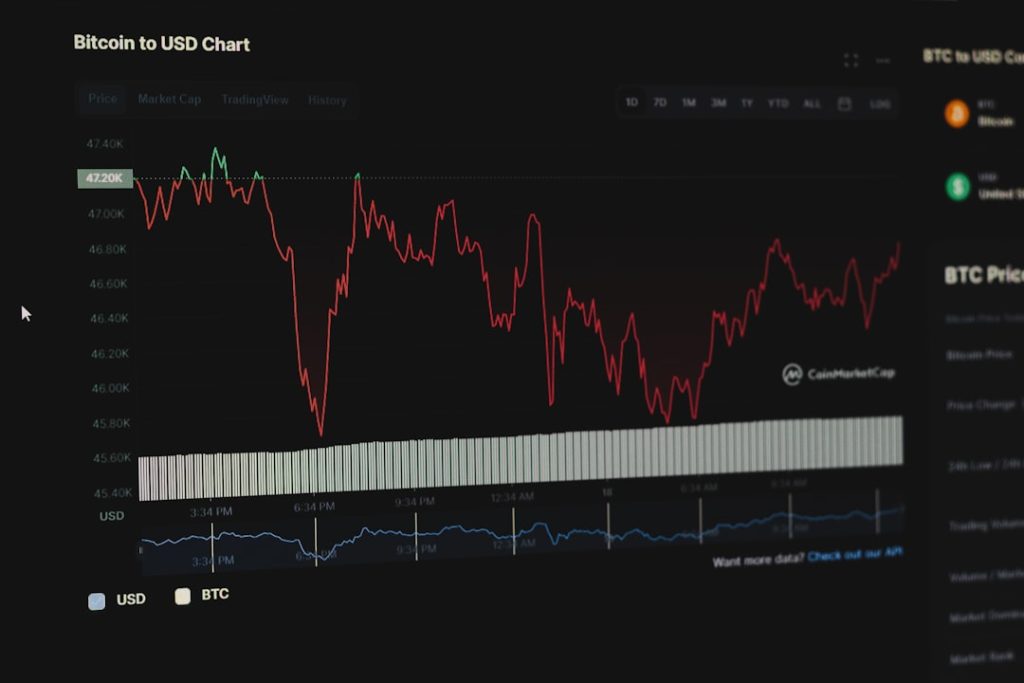
Learning to build and deploy an MT5 trading bot for beginners step by step is one of the most practical skills you can develop as a new trader seeking to automate income generation. The MetaTrader 5 platform has revolutionized how retail traders approach systematic trading, enabling even complete beginners to create sophisticated automated strategies without extensive programming experience. In this comprehensive guide, we’ll walk you through every stage—from installation to live deployment—so you can start your automated trading journey with confidence.
Why MT5 Trading Bots Matter for New Traders
The forex and stock markets operate 24 hours a day, five days a week, presenting opportunities that no human trader can realistically capitalize on alone. Automation eliminates emotion from trading decisions, which is one of the leading causes of trading losses among beginners. When fear or greed takes over, even the best trading plan collapses.
MT5 bots execute strategies 24/7 without manual intervention, meaning your trading system continues generating signals and managing positions while you sleep, work, or spend time with family. This consistency is something manual traders simply cannot achieve. How To Choose A Web Development Tech Stack
Beginners gain a competitive advantage through systematic approaches because they remove the psychological burden of real-time decision-making. Instead of staring at charts for hours, you implement a tested strategy and let the bot do the work. Microservices Vs Monolith For Small Teams
„Automation in trading isn’t about replacing traders—it’s about amplifying their best ideas and removing their worst impulses. A well-designed bot executes the plan every single time, without hesitation or deviation.” — Trading Psychology Expert
Understanding MT5 Platform Basics Before Bot Development
Before writing your first line of code, you need to understand the environment you’re working in. The MT5 core components include the Terminal (where you monitor trades and logs), the Market Watch (displaying available instruments and price data), and the Strategy Tester (where you validate bots before risking real capital).

Key differences between MT4 and MT5 for automated trading matter significantly. MT5 offers superior multi-threading capabilities, allowing bots to execute more complex calculations simultaneously. It also features better optimization tools, more built-in technical indicators, and improved backtesting accuracy.
Why MetaTrader 5 is superior for bot-based strategies comes down to performance and flexibility. MT5’s MQL5 language is more robust than MT4’s MQL4, supporting object-oriented programming patterns that make code more maintainable and scalable as your bots grow more sophisticated.
- Terminal window displays real-time account balance, open positions, and trading history
- Market Watch panel shows available currency pairs, stocks, and commodities with live quotes
- Strategy Tester allows backtesting with historical data across multiple years
- Signals feature enables copying successful traders’ bots directly to your account
- Navigator panel organizes indicators, scripts, Expert Advisors, and other tools
Step 1: Installing MT5 and Choosing a Reliable Broker
Getting MT5 installed correctly is the foundation for everything that follows. Visit the official MetaTrader website and download the platform for your operating system—Windows installation is straightforward, while Mac users should look for compatible versions since native Mac support is limited.

The download and installation process takes approximately five minutes. Simply run the installer, accept the license agreement, and choose your default installation folder. After installation completes, launch the platform and you’ll be prompted to add a broker.
Broker selection criteria for algorithmic trading support includes verifying that the broker allows Expert Advisors (bots), offers reasonable spreads (the difference between buy and sell prices), and provides reliable servers with low latency. Research brokers on independent review sites and check their regulatory status with financial authorities.
- Download MT5 from the official MetaTrader website
- Run the installer and follow on-screen instructions
- Select a regulated broker from the pre-populated broker list or add one manually
- Create a live account or open a demo account with trading capital
- Log in with your credentials and verify the platform is functioning correctly
Demo account setup to test bots without capital risk is absolutely essential. Every legitimate broker offers demo accounts with virtual money—usually $10,000 to $100,000—that you can use to test strategies risk-free. Never deploy a bot to a live account without thoroughly testing it on a demo account first.
Step 2: Introduction to MQL5 Programming Language
MQL5 (MetaQuotes Language 5) is the programming language you’ll use to write your trading bots. The good news is that you don’t need to be a software engineer to learn it—the syntax is relatively straightforward and heavily documented.
Core MQL5 syntax every beginner trader must understand includes data types (int, double, string, bool), variables, and functions. A variable stores information (like the current price or account balance), while a function performs actions based on that information.
Variables, functions, and control structures explained simply: a variable like `double lastPrice = 1.2500;` stores the price 1.2500 for later use. A function like `void OnTick()` executes every time a new price tick arrives. Control structures like `if` statements let you make decisions: „if price crosses above moving average, place a buy order.”
- Data Types: int (integers), double (decimal numbers), string (text), bool (true/false)
- Variables: containers that store values you’ll use throughout your bot
- Functions: blocks of code that execute specific tasks when called
- Control Structures: if/else statements, loops (for, while) that determine program flow
- Arrays: collections of values organized in a list or table
Where to find documentation and community resources includes the official MQL5 documentation site, which contains syntax references, function libraries, and code examples. The MQL5 community forums are exceptionally active, with thousands of developers ready to answer beginner questions.
Step 3: Building Your First Simple MT5 Trading Bot
Now let’s create your first bot. We’ll build a moving average crossover strategy—one of the most popular and beginner-friendly approaches. This strategy generates a buy signal when a fast-moving average (like the 9-period) crosses above a slow-moving average (like the 21-period), and a sell signal when the opposite occurs.
Creating a basic moving average crossover strategy starts with understanding the concept. Imagine two lines on a price chart—one that reacts quickly to price changes and one that responds more slowly. When the fast line crosses above the slow line, momentum is shifting upward, suggesting a buying opportunity.
Writing entry and exit conditions in MQL5 requires defining when your bot should open and close positions. Here’s a simplified structure:
// Calculate moving averages
double ma_fast = iMA(_Symbol, _Period, 9, 0, MODE_SMA, PRICE_CLOSE, 0);
double ma_slow = iMA(_Symbol, _Period, 21, 0, MODE_SMA, PRICE_CLOSE, 0);
double ma_fast_prev = iMA(_Symbol, _Period, 9, 0, MODE_SMA, PRICE_CLOSE, 1);
double ma_slow_prev = iMA(_Symbol, _Period, 21, 0, MODE_SMA, PRICE_CLOSE, 1);

// Buy Signal: Fast MA crosses above Slow MA
if(ma_fast_prev <= ma_slow_prev && ma_fast > ma_slow)
{
    trade.Buy(0.1, _Symbol, 0, 0, 0, "MA Crossover Buy");
}

// Sell Signal: Fast MA crosses below Slow MA
if(ma_fast_prev >= ma_slow_prev && ma_fast < ma_slow)
{
    trade.Sell(0.1, _Symbol, 0, 0, 0, "MA Crossover Sell");
}
Implementing position management and stop-loss orders protects your account from catastrophic losses. A stop-loss order automatically closes your position if the price moves against you by a predetermined amount, typically 50-100 pips for currency trading.
Code structure that scales as complexity increases means organizing your bot into distinct functions: one for calculating indicators, one for checking entry conditions, one for managing positions, and one for logging results. This modular approach makes your code easier to understand, debug, and improve.
MT5 Bot Strategy Comparison: Popular Approaches for Beginners
Different strategies suit different trading styles and market conditions. Understanding the trade-offs helps you choose an approach that aligns with your personality and risk tolerance.
| Strategy Type | Complexity | Win Rate | Avg Profit/Loss | Best For |
|---|---|---|---|---|
| Moving Average Crossover | Low | 45-55% | 1:2 Risk-Reward | Trending Markets |
| RSI Overbought/Oversold | Low-Medium | 50-60% | 1:1.5 Risk-Reward | Range-Bound Markets |
| Breakout Bots | Medium | 40-50% | 1:3 Risk-Reward | Volatile Markets |
| Multi-Indicator Fusion | High | 55-65% | 1:2 Risk-Reward | Experienced Traders |
Moving average strategies vs. RSI-based systems represent two fundamental approaches. Moving averages follow trends and work best when price is clearly moving in one direction. RSI (Relative Strength Index) measures momentum and works best in range-bound markets where price bounces between support and resistance levels.
Breakout bots identify when price breaks through significant support or resistance levels and trade in the direction of the breakout. These capture large moves but generate more false signals.
Risk-reward profiles and win-rate expectations vary dramatically. A strategy with a 40% win rate can still be highly profitable if your average winning trade is twice the size of your average losing trade. Conversely, a 60% win rate is worthless if your losses exceed your profits.
Complexity vs. reliability trade-offs matter enormously for beginners. Simple strategies with few indicators are easier to understand, test, and debug. Complex strategies with many indicators often perform worse in live trading because they’re overfit to historical data—meaning they worked great in backtesting but fail when market conditions change slightly.
Step 4: Testing Your Bot in MT5 Strategy Tester
Before risking a single dollar, you must thoroughly test your bot using historical data. The Strategy Tester simulates how your bot would have performed across weeks, months, or years of past price action.
Configuring backtest parameters and time ranges requires decisions about what data to test. Test on at least 2-3 years of historical data to capture different market conditions—bull markets, bear markets, sideways ranges, and volatile periods.
- Open your Expert Advisor (EA) in the MetaEditor by right-clicking your bot file
- Click „Compile” to check for syntax errors
- Switch to the MT5 terminal and open the Strategy Tester (View → Strategy Tester or Ctrl+R)
- Select your EA from the dropdown, choose the currency pair and timeframe
- Set the date range (minimum 2-3 years recommended) and initial account size (typically $10,000)
- Enable „Optimization” if you want to find the best parameter settings
- Click „Start” and wait for the backtest to complete
Interpreting backtest results and equity curves requires analyzing several metrics simultaneously. Profit factor (total profits divided by total losses) should exceed 1.5 for a viable strategy. Drawdown (the largest peak-to-trough decline) should be manageable—ideally under 20-30% of your account.
Identifying overfit strategies before live trading is critical. Overfit strategies perform spectacularly on historical data but fail miserably in live trading because they’re too specialized to past conditions. Red flags include unrealistic profit factors (above 5.0), very few trades (fewer than 30 trades per year), or perfect trade sequences.
Optimization techniques that avoid curve-fitting means being conservative. Only optimize parameters within reasonable ranges—don’t search for settings that produce perfect results on historical data. Test your optimized parameters on a separate, out-of-sample dataset that your optimization process didn’t see.
Step 5: Deploying Your MT5 Bot to Live Trading
The moment you’ve been waiting for—going live—requires careful risk management protocols before you activate your bot with real money. Start with your demo account for one to two weeks, monitoring performance and watching for unexpected behavior.
Risk management protocols before going live include setting maximum position sizes. A common rule is risking only 1-2% of your total account on any single trade. If your account is $10,000, each trade should risk no more than $100-$200.
Monitoring bot performance and key metrics means checking daily that your bot is functioning properly, checking that trades are opening and closing as expected, and verifying that your account balance aligns with your expectations. Most traders review their bot’s performance every evening.
- Daily P&L (profit and loss) review to ensure results match backtest expectations
- Trade count verification—if your bot usually takes 5-10 trades per day and suddenly takes 50, something is wrong
- Checking the bot’s log file (Tools → Log File) for error messages or warnings
- Monitoring account balance and available margin to ensure you don’t accidentally run out of trading capital
- Comparing live results to backtest results over rolling 50-100 trade periods
When to pause, adjust, or retire a strategy depends on specific performance triggers. If your bot loses 20-30% of your account and that’s beyond your acceptable drawdown, pause it immediately and analyze what happened. Sometimes market conditions change and a previously profitable strategy stops working—that’s normal and requires retiring that bot or modifying it.
Logging and record-keeping for compliance and learning means saving trade records, screenshots, and performance reports. If you’re trading on a regulated account, you may have legal obligations to maintain records. More importantly, records help you understand what worked and what didn’t for future strategy development.
Common MT5 Bot Mistakes Beginners Make and How to Avoid Them
Most beginning traders encounter predictable pitfalls. Knowing about these mistakes in advance helps you avoid them entirely.
Overcomplicating strategies with too many indicators is perhaps the most common mistake. Beginners add RSI, MACD, Bollinger Bands, Stochastic, and a dozen other indicators, thinking more data leads to better decisions. The reality is the opposite—additional indicators increase false signals and reduce profitability. Start simple with one or two indicators and only add complexity if backtests show improvement.
Neglecting position sizing and money management can turn a profitable strategy into an account-destroying disaster. Many traders backtest with fixed dollar amounts instead of percentages. A bot that makes $100 per trade might be perfect for a $100,000 account but catastrophic for a $5,000 account. Always size positions as a percentage of account equity.
Testing on insufficient data or cherry-picked time periods creates an illusion of profitability. Some traders test only on periods when a strategy worked well while ignoring periods when it failed. Test on complete, unbiased datasets spanning multiple years and market conditions.
Failing to account for slippage and broker spreads means your live results will lag backtest results. Slippage is the difference between the price you intended to trade at and the price you actually got. Spreads are the costs charged by your broker. Always reduce backtest results by 20-30% to account for these real-world factors.
Essential MT5 Bot Resources, Tools, and Community Support
You don’t have to figure everything out alone. The MT5 ecosystem includes extensive resources for learning and troubleshooting.
The official MQL5 marketplace and code repositories host thousands of free and paid Expert Advisors, indicators, and scripts. You can purchase pre-built bots, study how experienced developers code, or sell your own creations to other traders.
Free bot templates and starter frameworks accelerate development significantly. Many brokers offer free starter EAs that you can modify. The MQL5 community frequently publishes educational templates designed specifically for beginners learning to code.
Communities and forums for troubleshooting include the official MQL5 forum, Reddit’s r/Forex and r/algotrading communities, and broker-specific support channels. When you encounter an error, someone has almost certainly encountered it before and documented the solution.
- MQL5 Official Forum—hundreds of thousands of posts with solutions to technical problems
- GitHub repositories with open-source MT5 projects you can learn from and modify
- YouTube channels dedicated to MQL5 programming and bot development tutorials
- Broker education centers offering free webinars on bot development and deployment
- Discord communities where traders share bot ideas, code snippets, and performance metrics
Educational platforms for advancing skills include specialized courses on platforms like Udemy and Coursera. Many teach MQL5 specifically, progressing from absolute beginner level through advanced optimization techniques.
Frequently Asked Questions About MT5 Trading Bots
How much capital do I need to start with an MT5 trading bot?
Most brokers require a minimum deposit of $100-$1,000 to open a trading account. However, this is insufficient for profitable bot trading because position sizes would be too small to generate meaningful returns while protecting against losses. We recommend starting with $5,000-$10,000 minimum so you can risk 1-2% per trade ($50-$200) and still have a reasonable chance of weathering the inevitable losing periods. Larger initial capital ($25,000+) reduces risk further and allows more flexibility in position sizing.
Can beginners truly create profitable bots without programming experience?
Yes, but with important caveats. Many brokers and the MQL5 community offer pre-built bots you can deploy without coding. However, understanding how your bot works—and when it will fail—requires some programming knowledge.
We recommend learning basic MQL5 even if you use template bots, so you can modify parameters, understand the logic, and troubleshoot issues. Completely non-technical traders are better served by using pre-built bots from established developers or hiring a programmer to customize one for them.
What’s the difference between an EA (Expert Advisor) and a trading bot on MT5?
The terms are essentially synonymous on MT5. An Expert Advisor (EA) is the official MetaTrader terminology for an automated trading program written in MQL5. „Trading bot” is the more casual, industry-wide term for the same thing. Some traders distinguish between EAs (which are programs running locally on your computer) and signals (which are copied from remote traders), but both are forms of automated trading.
How long does it take to develop a working MT5 bot from scratch?
A simple moving average crossover bot takes 2-4 hours for someone with basic MQL5 knowledge, or 1-2 days for an absolute beginner learning the language simultaneously. A more sophisticated multi-indicator bot with proper money management, position sizing, and risk controls takes 3-7 days. The real time investment comes in testing and optimization—a complete development cycle from idea to live deployment takes 2-4 weeks minimum. This includes learning period, coding, backtesting, optimization, paper trading on demo accounts, and monitoring the first few weeks of live performance.
What’s the realistic profit expectation from an MT5 trading bot?
This depends entirely on your strategy, market conditions, and risk parameters. A well-developed bot trading with proper risk management might generate 5-20% annual returns with acceptable drawdowns. Some traders achieve 50%+ returns, but this typically comes with higher risk and drawdowns. The best expectation is that your bot should outperform a buy-and-hold stock market index fund (which returns approximately 10% annually on average), while requiring less emotional involvement and personal time than active trading.
This comprehensive guide to building an MT5 trading bot for beginners step by step has covered everything from installation through live deployment. You now understand the platform architecture, the programming fundamentals, strategy development, backtesting, and risk management principles. The remaining steps are implementation—start with your first simple moving average crossover bot, test it thoroughly on historical data, run it on a demo account, and then carefully transition to live trading.
Building discipline through systematic bot-based trading comes naturally when you remove emotion from the equation. Your bot doesn’t panic during drawdowns, doesn’t get overconfident during winning streaks, and doesn’t skip trades because of fear or fatigue.
The journey from curious beginner to confident automated trader is entirely achievable over the next 30-60 days if you apply the methods outlined in this guide. Start today, begin with your first bot build, and join the thousands of traders worldwide who have automated their trading systems successfully.
This article was powered by RankFlow AI — rankflow.cloud

